Reseller Planner KDP Interior Template: A No-Fuss Foundation for Your Next Low-Content Product
For independent publishers building passive income streams through Amazon KDP, Etsy printable shops, or direct wholesale, the hours spent formatting interior pages can quietly drain creative momentum. A clean, print-ready book block isn’t glamorous, but it’s essential. The Reseller Planner KDP Interior Template tackles this behind-the-scenes work head-on, delivering a straightforward document bundle designed to cut layout time and reduce upload rejections. Instead of a fully finished planner with themed weekly spreads and habit trackers, you get a utilitarian starting point: a blank-structured journal that passes KDP’s automated checks and leaves personalization entirely in your hands.
What makes this resource worth a closer look is not ornate design, but reliability. The files have been tested on KDP’s print platform, which removes one of the most persistent headaches for newcomers. When a template is repeatedly flagged for margin errors or low-resolution warnings, it wastes valuable time. Knowing that the provided PDFs already sailed through the upload process offers peace of mind. For anyone who earns a living—or builds a side hustle—selling notebooks, planners, logs, and workbooks, that upfront testing is a practical asset, not a marketing bullet point.
What Exactly Is the Reseller Planner KDP Interior Template?
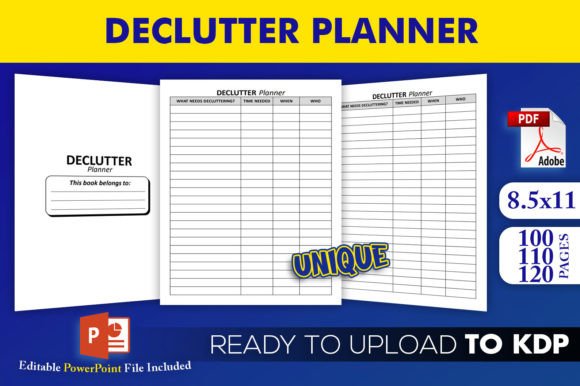
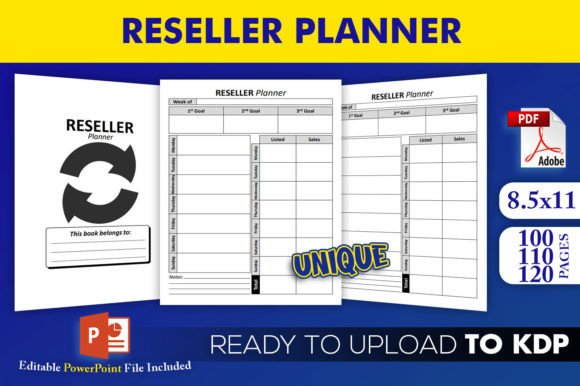
At its core, this product is a set of pre-formatted interior pages for a trim size of 8.5×11 inches with no bleed. The format matters. No bleed means your design does not extend to the edge of the page, so you avoid the white slivers and alignment frustration that often plague full-bleed books. It’s a safer specification for users who don’t have professional design software or who prefer a cleaner, more predictable print outcome.
The download includes three distinct PDF interiors with 100, 110, and 120 pages, ready for direct upload to KDP or for sending to a local printer. Alongside these, you receive an editable source file in PowerPoint (.pptx). This is the pragmatic heart of the package. While many template sellers lock you into a fixed layout, PowerPoint remains one of the most accessible editing tools across platforms. It eliminates the need for expensive software like Adobe InDesign or even subscription-based tools like Canva Pro for basic customizations. You can change fonts, add heading text, adjust table elements, and tweak margins without a steep learning curve, then export to PDF for upload.
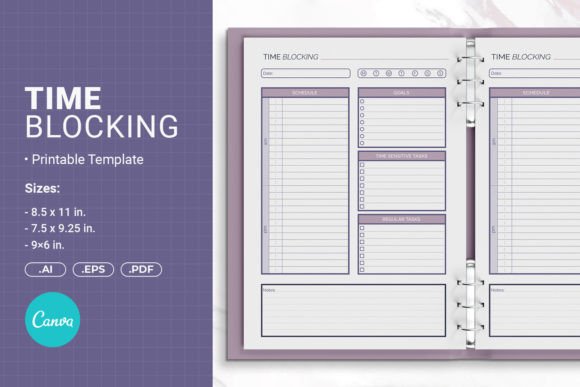
The template is categorized as a planner interior, but the provided pages are intentionally generic—typically lined, dotted, or grid-style pages with minimal headers. This blank-slate approach is intentional. It means you can quickly rebrand the interior as a daily reflection journal, a project planner, a meal log, a client tracker, or any number of vertical-specific publications without altering hundreds of individual page elements.
Package Contents and Core Features That Matter
- Editable Source File (.pptx): Full control over text, page names, and basic shapes. No conversion issues; open and edit natively in PowerPoint, Keynote, or Google Slides.
- Three PDF Interiors (100, 110, 120 pages): Covers common page counts for notebooks and planners. Pick the length that matches your pricing strategy or niche expectations without creating multiple layouts from scratch.
- Trim Size 8.5×11: Standard US letter dimensions. KDP’s printing costs for this size are transparent and often more economical than square or specialty formats, which helps maintain decent royalty margins.
- No Bleed Layout: Reduces file preparation complexity. No need to calculate bleed zones or worry about critical content being trimmed off. Ideal for text-heavy and lined interiors.
- High-Resolution Interiors: The PDFs are rendered at a resolution sufficient for crisp print reproduction. KDP’s preflight system accepts them, which indicates they pass the 300 DPI recommendation for black-and-white interiors.
- Tested on KDP: Not just a claim—this matters. Each PDF interior has been uploaded and approved, so you can reasonably expect fewer formatting rejections compared to untested homemade files.
Observing these features as a whole paints a clear picture: this isn’t a decorative template with floral corner graphics or monthly calendar spreads. It’s a reliable, technical foundation. The value lies in the hours you save not building a page template from scratch, and more importantly, not troubleshooting why your file won’t pass KDP’s inspection.
Design Quality and Print Reliability: What You Can Expect
The design quality aligns with functional simplicity rather than artistic flair. Pages are composed with balanced margins, clean line work, and consistent header spaces. There are no embedded fonts that could cause flattening issues, and the line art is vector-based within the PowerPoint file, meaning you can scale elements without pixelation.
Because the template uses no bleed, the printed result is predictable. Every printer has slight cutting tolerance, and with no-bleed layouts, even a millimeter shift won’t slice off important text. For planners that rely on neat lines and aligned tables, this is a noteworthy advantage. From a reliability standpoint, the pre-tested PDFs ship without odd page numbering glitches or mixed orientation pages—common issues in user-generated interiors that lead to quick rejection. The three page-count options also let you avoid the mistake of uploading a 99-page file when the minimum for a paperback on KDP is 24, or the error of mismatched total page counts in your cover calculation.
Practical Use Cases for Publishers and Entrepreneurs
The versatility of an unthemed, editable interior often goes overlooked. Here are several realistic ways publishers are using, or could use, the Reseller Planner KDP Interior Template:
- Private Label Planner Branding: Customize the header with your company name, add a subtle page border, and pair it with a professionally designed cover from another tool. You’ve built a cohesive product line in a few hours.
- Niche Notebook Creation: Need a “Bird Watching Log” or a “Small Business Mileage Tracker”? The interior doesn’t hinder you. Insert a custom title page and a two-page spread with specific column headers using the PowerPoint file, then let the remaining lined pages carry the journal feel.
- Printable Workbook Companion: Content creators selling courses or coaching programs often need downloadable resources. The 8.5×11 trim size makes these interiors ideal for home-printed workbooks. Export single pages or the full PDF as a bonus item.
- Spiral-Bound or Coil-Bound Side Projects: While the PDFs are aimed at KDP, the letter-size, no-bleed format works flawlessly for local print shops producing spiral-bound notebooks. This opens a door for in-person selling or corporate gifting without redesign.
- Swapping Interior Lengths for Market Testing: Launch a 100-page version at a lower price point, then add a 120-page “premium” edition with a slightly higher list price. The ready-made PDFs let you split-test without building new files.
Who Stands to Benefit the Most
This template aligns best with do-it-yourself publishers who have a clear product idea but limited design time or technical skill. It suits entrepreneurs testing the low-content waters for the first time, freelancers who assemble book interiors for clients, and small business owners who want to create branded journals for internal teams or giveaways. Educators and coaches often need clean, reproducible tracking sheets; here, the PowerPoint file becomes a flexible editor.
More experienced KDP sellers who already sell hundreds of titles per year may also find it useful as a rapid backup template. When a niche trend appears suddenly, you can avoid designing from a blank canvas and instead clone the template, modify lightly, and publish within a day. The time-to-market advantage is real.
Marketers and bloggers who want to produce a lightweight downloadable lead magnet will appreciate that the editable file can be cut down to a 15-page sampler without any design overhead.
How Usability and Flexibility Hold Up Under Real Workflows
The choice of PowerPoint as the editable source is rarely the most elegant, but it is arguably the most accessible. Most users have it pre-installed or can access a free viewer. Unlike dedicated layout programs, PowerPoint’s learning curve is shallow. You can drop a text box, align it, and export a clean PDF without color profiles or bleeds complicating the process. However, this accessibility comes with a trade-off: advanced typography controls and fine-tuned kerning aren’t as refined. For the intended market—publishers of straight-planners—that limitation rarely matters.
File consistency across the three PDF options is well-maintained. The headers, line spacing, and margins remain identical between the 100, 110, and 120-page versions. This means a cover template built for one size will work for the others without adjustment, which is a subtle but significant time-saver. When you’re managing multiple ASINs, uniformity reduces errors.
Another aspect often missed is printer compatibility outside of KDP. The no-bleed format and standard letter size make it possible to send the same files to IngramSpark or Lulu, provided you adjust metadata. Because the template isn’t locked to Amazon’s proprietary formatting quirks, it becomes a multi-platform asset rather than a single-use file.
Potential Limitations and Practical Considerations
No template solves every problem, and acknowledging the constraints helps match the tool to the right job. The Reseller Planner KDP Interior Template is not a designed planner with calendars, trackers, or decorative motifs. You won’t open it and find 12 monthly spreads, habit trackers, or goal-setting prompts. That creative work remains your responsibility. If you’re seeking a “turnkey” planner ready to upload immediately with zero editing, this is not that product.
The no-bleed layout, while convenient, also means that full-color edge-to-edge backgrounds are not an option. The final printed book will have a clean white margin border. For most journal-style products this is standard, but if your brand relies on richly colored pages that bleed, you’ll need to start from a different template or modify heavily and accept the associated risks.
The page count options, though helpful, are limited to 100, 110, and 120 pages. If your product demands 200 pages or a very slim 60-page booklet, you’ll need to manually duplicate or remove pages in PowerPoint and ensure proper re-pagination. It’s doable, but it chips away at the time-saving promise.
On the legal side, always verify the licensing terms. Typically, templates like this allow commercial use of the final printed book, but reselling or redistributing the source file itself may be prohibited. That distinction matters if you intend to bundle the editable file as a product for your own customers. Checking the license before using it in a commercial product line is a prudent step that protects your business down the road.
Long-Term Value and How It Fits Into a Growing Publishing Business
Assets that reduce technical friction have a compounding effect. Every skipped formatting headache frees up energy for market research, cover design, keyword optimization, and advertising—activities that directly influence sales. The template’s value grows if you publish multiple titles using the same internal structure. Over a year, those saved hours add up.
Additionally, because the core file is editable, you’re not locked into a single visual identity. As your brand matures and you refine your interior style, you can gradually evolve the template without purchasing an entirely new set. That adaptability extends the useful life of the asset beyond a one-off product launch.
For users who maintain a personal inventory of design elements, this template can become a permanent member of a resource library, called upon whenever a new no-bleed lined journal or log book is needed. Its quiet dependability—tested, high-resolution, consistently sized—makes it a candidate for a go-to starting file rather than a novelty you use once and forget.
Making an Informed Decision
The Reseller Planner KDP Interior Template won’t make a cover for you, pick your niche, or write your marketing copy. What it does is remove the foundational page-layout grunt work and replace it with a print-ready set of files that have already proven themselves on Amazon’s platform. For the self-publisher who values practicality over decoration, that trade-off often makes sense.
Before purchasing or downloading, get clear on your goal. Are you building a minimalist daily planner, a log book, a student workbook, or something in between? If the answer involves lines, grids, or simple structure and you plan to customize the rest, this template deserves a spot on your shortlist. Combine it with a distinctive cover design and a clear understanding of your target reader, and the interior won’t stand in your way—it’ll quietly do its job, page after page.