Declutter Planner KDP Interior Template: A Practical Foundation for Your Next Bestselling Organizer
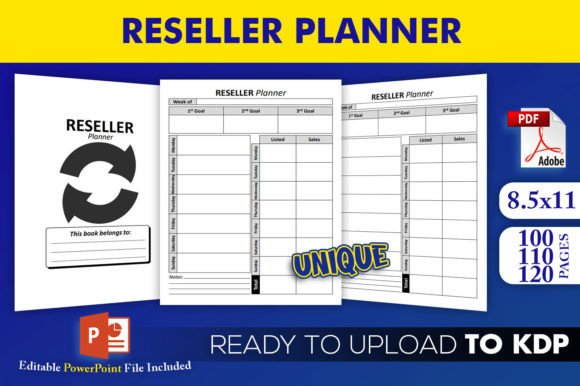
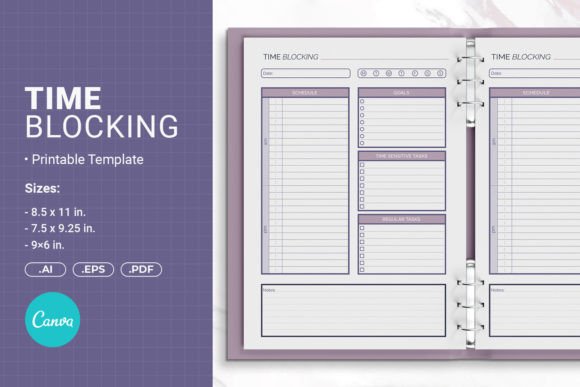
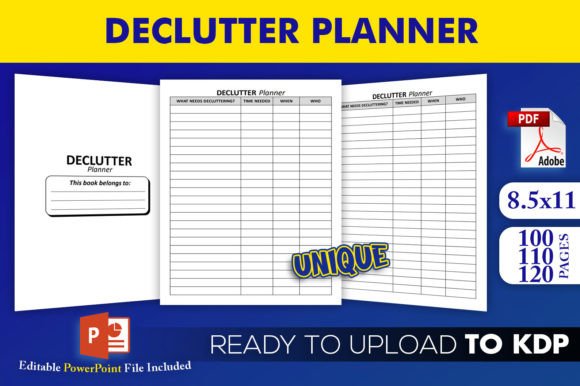
The declutter planner KDP interior template gives you a structured starting point for creating a high-quality organization journal without building everything from scratch. If you sell low-content books on Amazon, you already know how much time layout and formatting can consume. This template shifts your focus from technical setup to the creative and marketing work that actually grows your publishing business. You receive an editable PowerPoint file and multiple print-ready PDFs designed around the 8.5×11 inch trim size with no bleed, so you can move from concept to live listing faster while maintaining consistency.
What’s Actually Inside the Download Package
The download includes more than a single static file. Understanding each component helps you use the template in a way that fits your exact workflow. Here’s what you get:
- Editable Source File (PowerPoint .pptx): This is your customization hub. You can change fonts, colors, text, page titles, and graphical elements using standard editing tools. Because it’s a PowerPoint file, you don’t need advanced design software to tailor the planner to your brand.
- Three PDF Interiors Ready for Upload: You receive pre-generated PDFs with 100, 110, and 120 pages. Each file has already been tested on KDP, which means the internal dimensions, margins, and file structure meet Amazon’s requirements. This saves you from repeated upload rejections and guesswork.
- Trim Size 8.5×11 Inches, No Bleed: The large format is ideal for decluttering worksheets, trackers, and room-by-room inventories. No bleed simplifies the entire print process because you don’t have to extend images beyond the trim edge—your final file stays clean and predictable.
- High-Resolution Interiors: All pages are set at a resolution that ensures crisp text and lines when printed on demand. Low-resolution files often lead to poor reviews, so this small detail protects your book’s reputation.
These pieces work together to let you publish a declutter planner that looks intentional and reliable, even if you’re publishing your first interior.
Where a Declutter Planner Template Fits in Your Publishing Process
Many KDP creators start by designing a planner from a blank canvas in Canva or InDesign. That approach can work, but it often drags on through multiple rounds of margin checks, PDF export tests, and formatting fixes. A tested interior template changes the sequence. Instead of designing then fixing, you start with a proven skeleton and immediately pour energy into differentiation—adding unique prompts, seasonal layouts, or branded touches that set your planner apart in a competitive niche.
Used early in a project, the template prevents common formatting errors that delay launches. Used mid-process, it can serve as a quality benchmark when you experiment with new interior styles. Even after publication, having the source file allows you to quickly release a 120-page version of a successful 100-page planner, or create a spiral-bound variant without redoing measurements. The template becomes a reusable asset rather than a one-off purchase.
Integrating the Template with Your Current Tools and Methods
The PowerPoint source file plays nicely with other tools you probably already use. For example:
- Canva or Affinity Publisher: You can import PPTX slides into Canva to add custom frames or export as images, though direct PDF generation from PowerPoint often yields stricter size control. Alternatively, you can open the PDF in Affinity Publisher to tweak master pages if you need a more advanced layout. The editable source keeps your options open.
- KDP Cover Creation: With a fixed 8.5×11 trim and no bleed interior, your cover calculations become simpler. You don’t need to calculate extra bleed for internal graphics. Just use Amazon’s cover template calculator with the exact page count from whichever PDF you choose, and align your cover file accordingly.
- Pre-Launch Testing: Before publishing, many creators order a printed proof. The high-resolution interior ensures that what you see on screen matches the proof. If you’ve customized the PPTX, you can export a new PDF and run it through Amazon’s previewer or a local preflight tool. The original tested PDFs serve as control files—if your modified version looks identical in structure, you’re ready to upload.
This template also interacts smoothly with productivity tools outside of Amazon. If you create a digital companion version for Etsy, you can convert the PowerPoint pages into PNGs and bundle them. The same layout works across print and digital with minimal rework.
Practical Customization Without Breaking the Layout
Customization is where many templates fall apart. A small font change can shift page breaks dangerously close to the gutter. Because this template comes with three different page counts, you have room to experiment safely. If you add a few extra pages of content, you can switch from the 100-page PDF to the 110-page version to maintain even signatures and a balanced feel. If you keep the same total page count, editing within PowerPoint is straightforward if you follow a few ground rules:
- Stick to the master slide layout as much as possible. Avoid drag-selecting and moving grouped elements unless you unlock them intentionally.
- When replacing placeholder text, keep the character length similar. The template margins assume a certain line length.
- Replace graphics with elements of identical dimensions. Use the size panel in PowerPoint to match exact height and width.
- After editing, export your PPTX as a PDF using Standard (publishing online and printing) quality and verify that the file size remains reasonable. Compare the page count with the original to catch any accidental duplications.
These habits help you maintain the no-bleed integrity and ensure the final PDF passes Amazon’s automated checks.
Organization and Efficiency Across Multiple Planner Projects
Once you learn the template’s structure, you can produce planners for related niches quickly. A declutter planner for home organization can transform into a digital declutter companion, a minimalist lifestyle journal, or a moving and packing planner. The inner pages—daily purging trackers, donation logs, zone decluttering sheets—serve as reusable modules. By keeping your customized PowerPoint source file organized in a clear folder structure, you build a library of proven interiors you can remix later.
For creators publishing multiple titles per month, this efficiency adds up. You stop reinventing page numbering, margin settings, and trim dimensions. The template’s consistent 8.5×11 format also makes it easier to create matching covers across a series, strengthening your brand on Amazon.
Quality Control and Long-Term Use Considerations
The claim that “files have been tested on KDP” isn’t just marketing. It signals that the PDFs passed Amazon’s automated review for things like font embedding, image resolution, and margin spacing. Still, you should run your own quick checks:
- Open the PDF in a viewer and confirm that all pages display without missing text or broken graphics.
- Print a single page at actual size (no scaling) to see how the layout feels on paper. The large 8.5×11 format should give ample writing space without crowding.
- Upload the test file to KDP’s previewer before hitting publish. Pay attention to the edges—since there’s no bleed, any important content should sit comfortably inside the safe zone.
Over time, Amazon may update its print specifications. Because you have the editable source file, you can adjust and re-export rather than re-purchasing a new template. This future-proofs your investment. As long as PowerPoint remains functional and PDF export standards hold, you can maintain a current product.
How the Planner Interacts with End Users’ Goals
While you’re the publisher, understanding how your buyers use the declutter planner helps you make smarter design choices. Most people buying a declutter planner want a clear, non-overwhelming path to reducing physical clutter. They might use the planner as a daily accountability tool, breaking large spaces into manageable tasks. The 100-page version suits a 30-day challenge; the 120-page version allows for a deeper, room-by-room approach over several months. When you customize the interior, keep those use cases in mind—prompts that feel practical and actionable will lead to better reviews and repeat customers.
Your template’s no-bleed, high-resolution pages ensure that when a customer writes on the page with a gel pen, nothing bleeds through or appears fuzzy. This might seem minor, but it directly affects the perceived quality of your book. Satisfied users are more likely to leave positive feedback, which in turn boosts your product’s visibility on Amazon.
Adapting the Planner for Different Publishing Formats and Sales Channels
The base template targets Amazon KDP, but the same assets can feed other opportunities. If you sell on Etsy as a printable, the high-resolution PDFs convert well for instant download. You can split the 120-page file into smaller themed bundles—kitchen declutter, wardrobe, garage—and sell them individually or as a bundle. The PowerPoint source file lets you add Etsy-specific branding or instructions before exporting. For Gumroad or Shopify stores selling digital planners, the same workflow applies.
Even if you stick to KDP, the template supports both standard color interiors and black-and-white versions. Because the PDFs are already print-optimized, switching to black and white in PowerPoint before export is a simple, low-risk adjustment. This opens up a lower price point option without needing a new template.
Making the Template Work Inside a Team or Outsourced Process
If you work with a cover designer or a virtual assistant who handles uploads, the ready-to-go PDFs reduce miscommunication. You hand them a file you know meets Amazon’s spec, and they can focus on descriptions, keywords, and cover alignment. The editable PowerPoint file is also easy to share. Unlike proprietary formats, almost everyone can open a PPTX and make small changes without a learning curve. This keeps your pipeline moving when you delegate tasks.
When briefing a designer to create a matching cover, you can send them one of the PDF interiors so they can see the exact content and layout. Knowing the no-bleed interior dimensions helps them design a cover that wraps precisely around 8.5×11 with your chosen page count. This coordination avoids covers that look misaligned or stretched in the final product.
Consistency Across Your KDP Catalog and Beyond
Publishing without a consistent interior often results in a catalog that looks visually disjointed. Using this declutter planner template as a base—and then creating other planners with similar layouts—builds recognition. Customers who loved your declutter planner may look for your meal planner or budget journal. If those interiors feel familiar in spacing and structure, they’re more likely to trust and purchase. The editable source file lets you swap title pages and section headers while preserving the grid and line spacing that already works.
Finally, think about the template as a productivity tool for your own publishing goals. Instead of losing hours to re-formatting, you can test niche variations faster. You might publish a planner with 100 pages, see how it sells, and if demand rises, quickly expand to 120 pages using the higher-count PDF. You can also A/B test covers because the interior remains constant—any difference in sales tells you something about your cover or description, not about a shifting interior quality. That’s a clean, practical way to make decisions.
The declutter planner KDP interior template isn’t just a set of files. It’s a strategic piece of your publishing infrastructure. By moving from isolated design struggles to a repeatable, tested starting point, you reduce friction at every stage—from initial customization to long-term catalog growth. Whether you’re launching your first organizer or scaling a proven series, the included PowerPoint flexibility, three page-count variations, and confirmed KDP compatibility give you a reliable foundation you can trust while you focus on reaching the right audience.